Derek Speare Designs
  • DSD uBox
    • DSD Sportsman
    • DSD P8R Racing Controller
    • DSD Fobster
  • Button Controllers
    • P1/P2
    • OSW Panels
    • CSL DD & GT Pro Panels
    • PDW Panels
    • CSL Elite Panels
    • CSW Panels - Standard
    • AFW Panels
    • Mounting
  • Conversion Frames
  • Circuits
    • DSD Blue32 BLE Controller
    • DSD 36 Button Controller AVX
    • DIY Components for Circuit Projects
    • 64 Button "No Matrix" Controller
    • 32 Button "No Matrix" Controller
    • Micro 32 Button Controller
    • 12 Bit Controllers
    • Technical Guide
  • About DSD
    • Questions?
    • Shipping Info
    • Terms
    • Contact

DSD Pedals - Windows Calibration

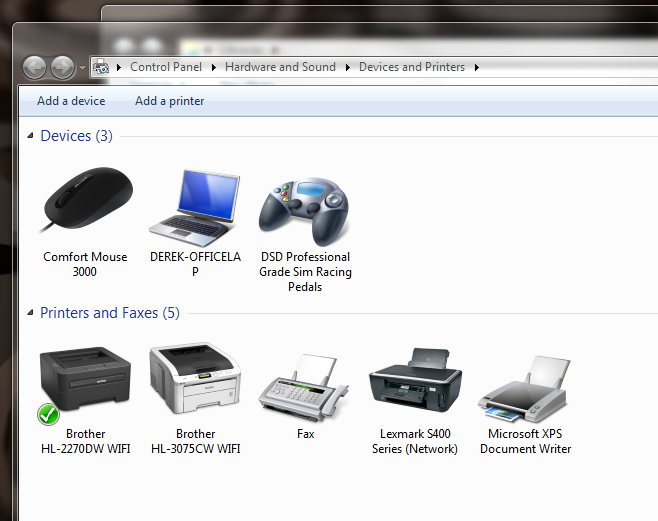
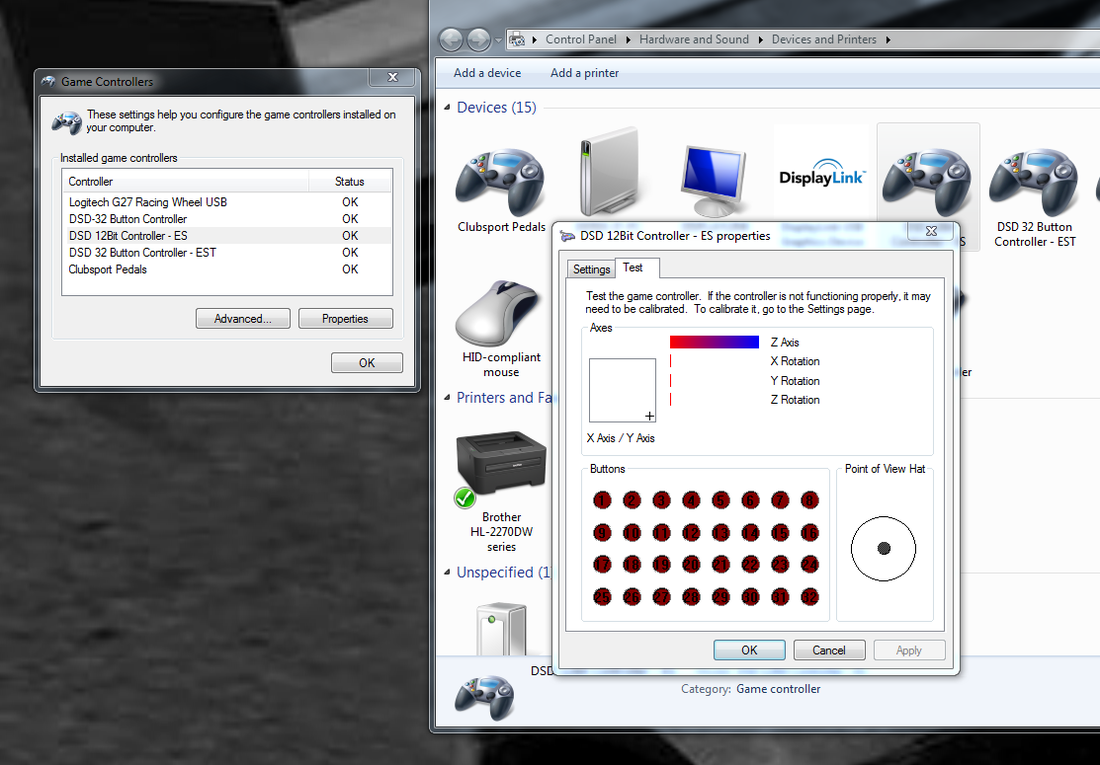
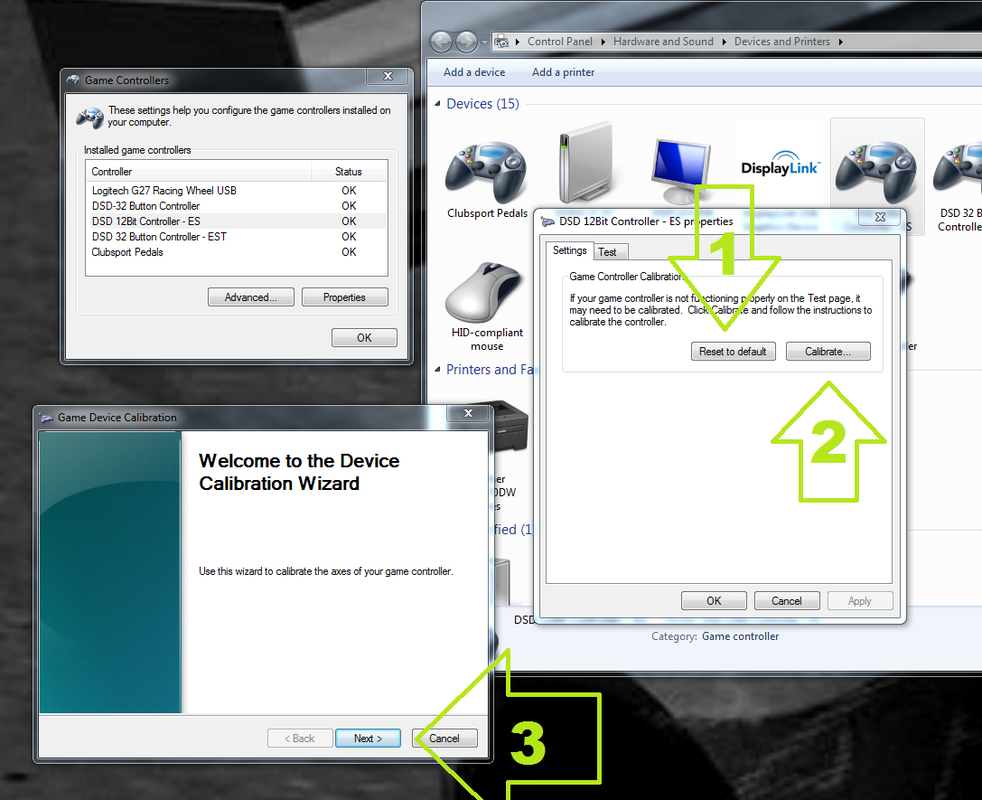
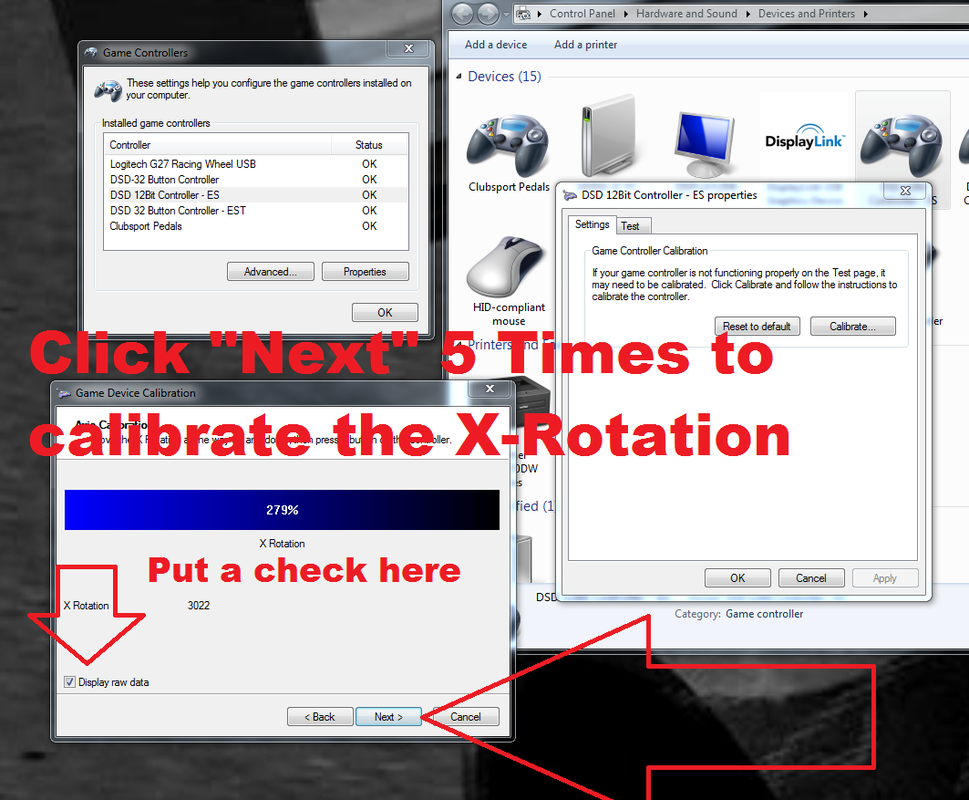
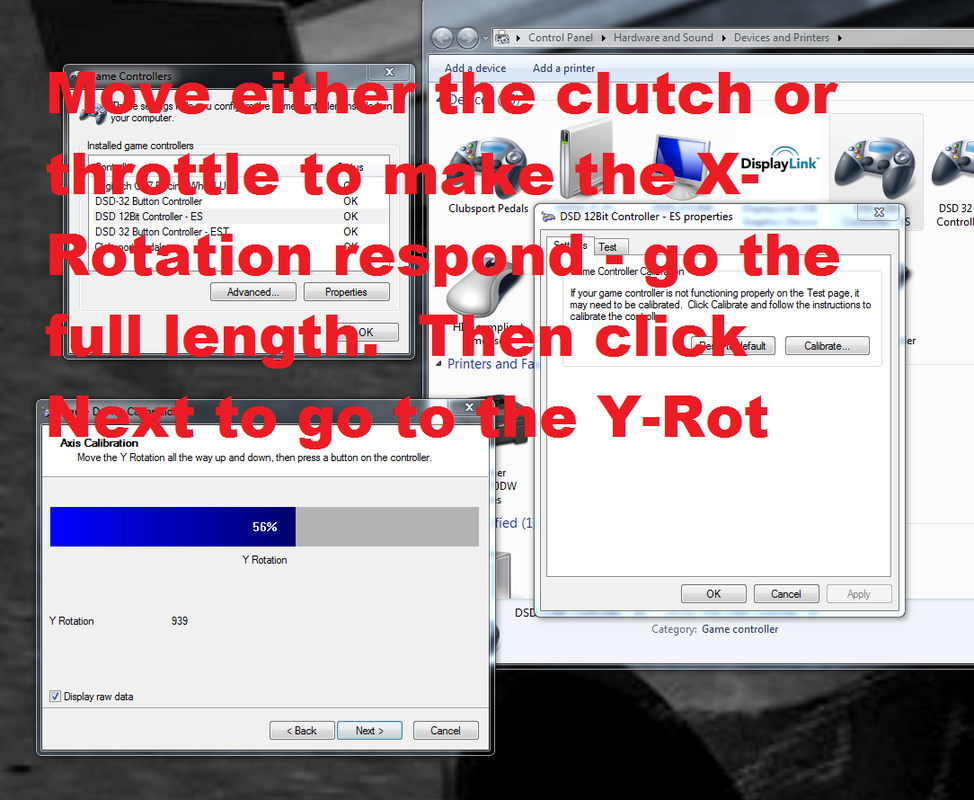
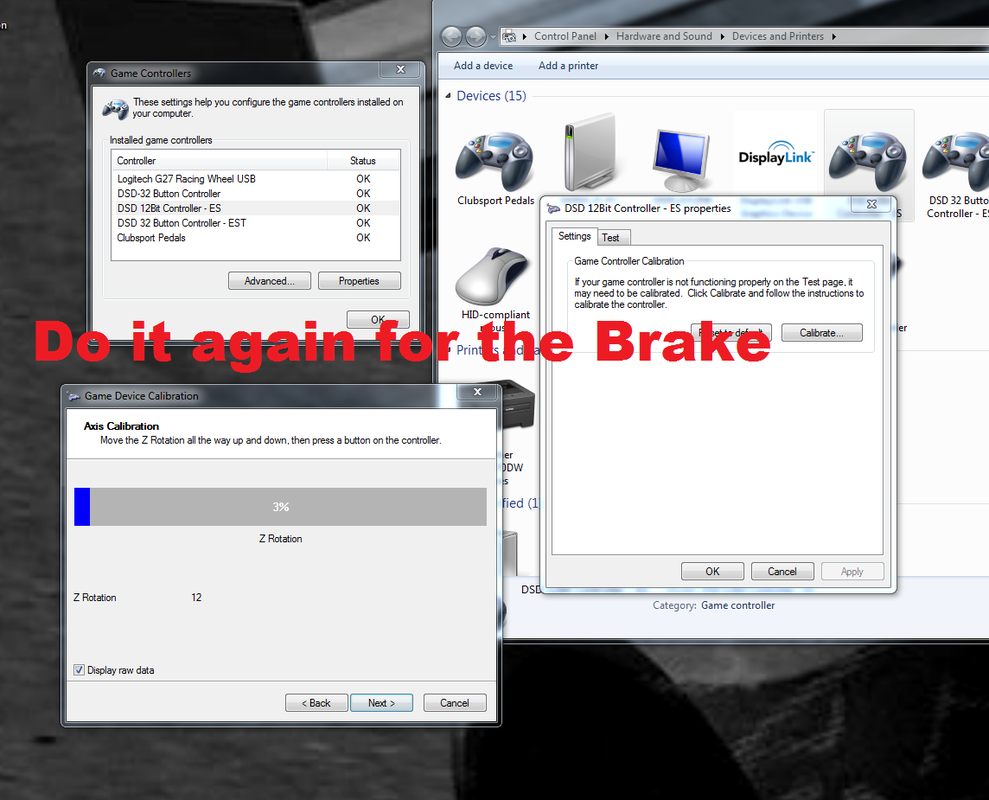
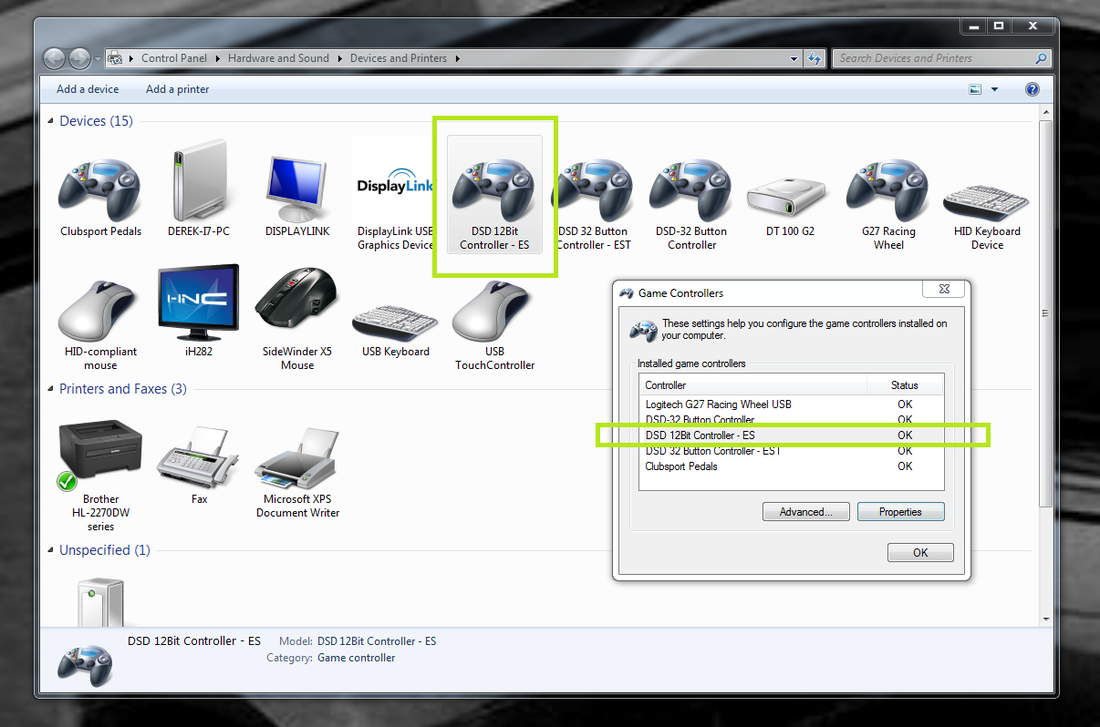
Calibrate first!  Proper calibration in Windows is essential on initial integration into your sim racing environment.  This is how you do it:  Open your Control Panel and navigate to the "Devices and Printers" selection.  From there follow the instructions in the following graphics to perform this most simplest of Windows operations.
Picture
Picture
Picture
Picture
Picture
Picture
Picture

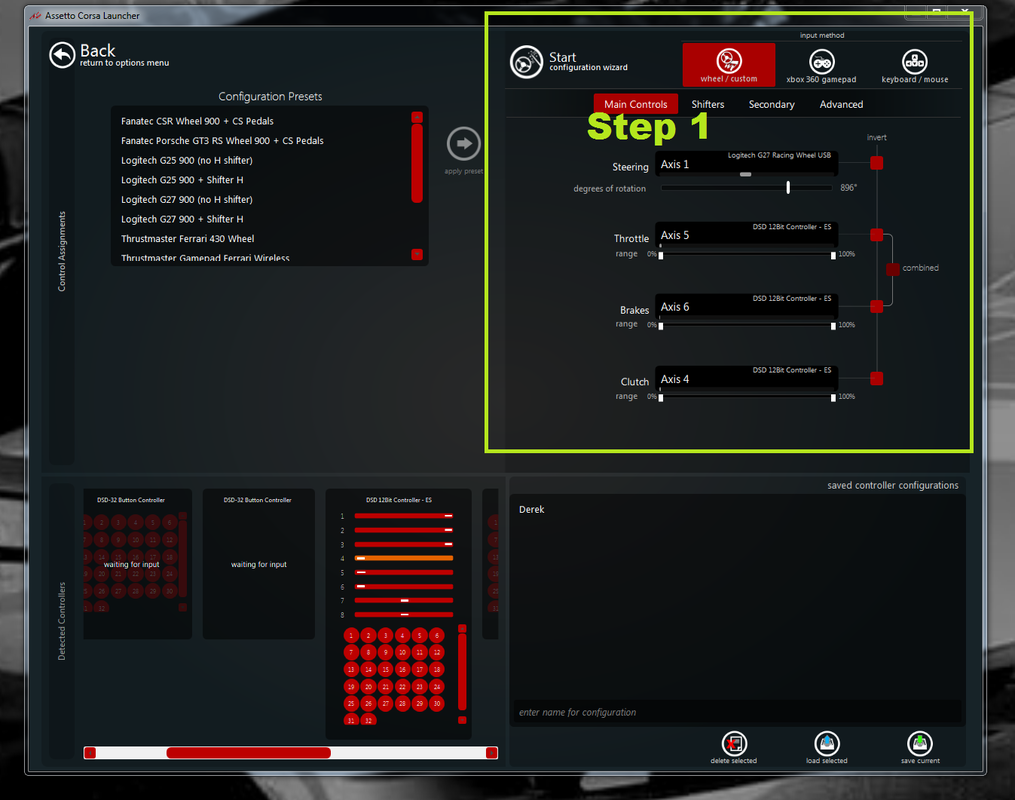
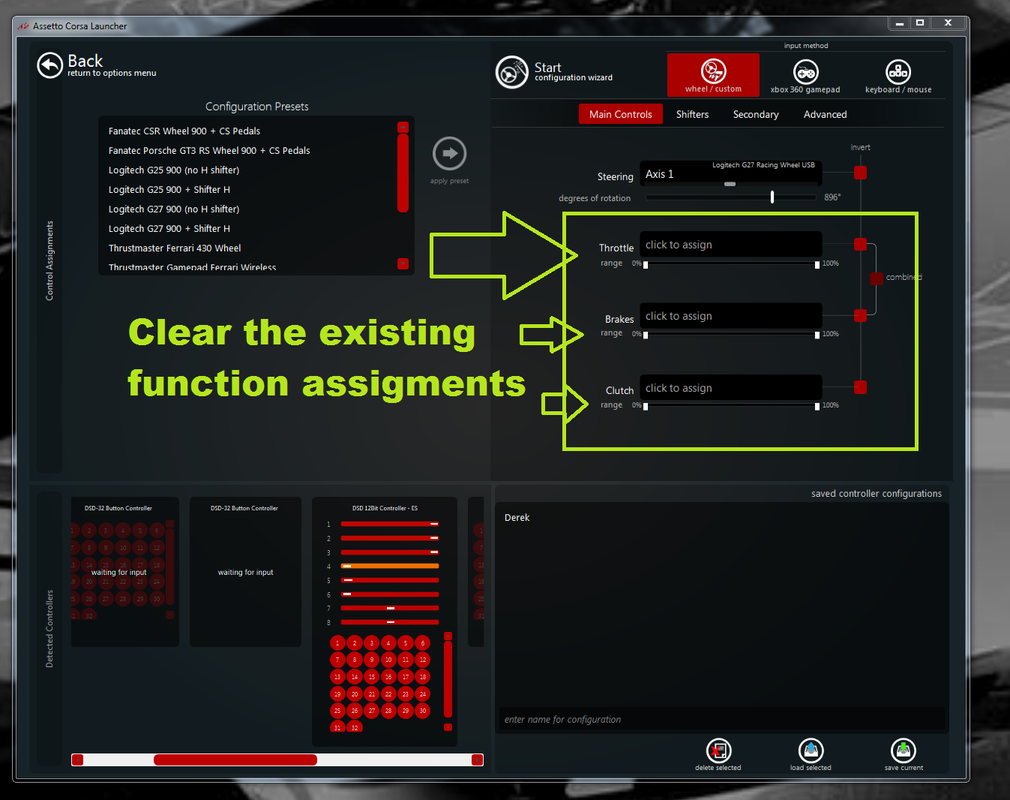
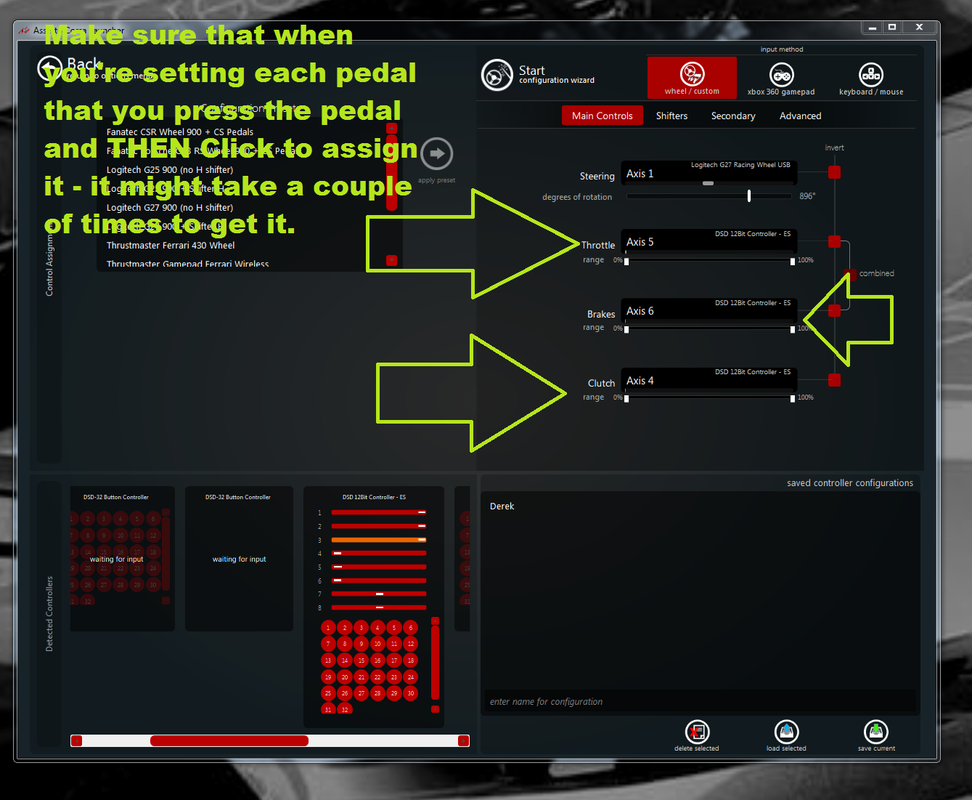
Example Calibration - Assetto Corsa

Picture
Picture
Picture
Join iRacing and tell them DSD Sent you!

© 2011-2025 DSD FTW! | All Components Are Proudly Manufactured in the USA by Dedicated American Workers | derekspearedesigns.com
Serving more than 25,000 simulation enthusiasts in over 70 countries!
Sales for ALL DSD Components are FINAL